

9 Common E-Commerce Accounting Mistakes to Avoid

As a new business owner, you have a lot to manage on your eCommerce site. From making sure that customers can easily find what they need to creating an easy path to purchasing your goods, it may leave less time to tidy up the little things in your accounting processes. However, these mistakes and misses can snowball into significant issues that could cost your eCommerce business profits and customers. To make sure your business is running efficiently from top to bottom, here are nine common eCommerce accounting mistakes that you need to avoid. Not adjusting your inventory levels Inventory levels play a significant role in your profit & loss, balance sheet, and cash flow forecasting. Not adjusting your inventory levels is a mistake that can carry over from one accounting cycle to the next and affect all your reports. It may be time-consuming, but doing a physical stock take is essential to avoid this mistake. Fortunately, technology is on your side, and there are many excellent inventory control applications to help you streamline the process. Sticking with spreadsheet or paper ledgers While it is good to have a backup, manual entry, especially those not saved to the cloud, can cost you when it comes to tax time. As your business grows, you will need more than a digital spreadsheet to keep your accounts in order. Manually combing through all your sales and entering them is highly time-consuming, and chances are, as an eCommerce business owner, it is time you do not have. Unless you are meticulously keeping up with sales tax and the like, you may end up costing yourself more than you make. If you haven’t already, it is time to upgrade to accounting software like Xero for eCommerce or QuickBooks for eCommerce. Both of these accounting softwares can sync with your website, do a lot of the grunt work for you, and help you avoid this eCommerce accounting mistake. Still, you will need to have an eye on your accounts to make sure everything is accurate. xendoo’s eCommerce bookkeeping service can help ensure your books are up to date and accurate, giving you more time to focus on your business instead of your books Mixing business accounts with your personal accounts While it may seem convenient to use your personal accounts for business-related purchases, mixing the two can create more problems down the line than it solves. Maintaining separate business and personal accounts is the best practice. You can take advantage of several tax benefits with a business account. It allows you to keep the proper line of sight over business income and expenses while avoiding accounting nightmares and potential liability issues if you get audited. Not monitoring your cash flow You may be seeing how much money your eCommerce business is generating, but are you keeping track of how much you are spending? Account reconciliation compares your internal financial records against monthly statements from external sources such as banks, credit cards, or other financial institutions, to ensure they match up. Knowing how to reconcile your accounts is essential for the financial health of your eCommerce business. You need to reconcile your accounts to provide a clear picture of how much cash flow you have to reinvest or to pay yourself. If not, making this eCommerce accounting mistake could have you missing out on new investment opportunities, or worse, realize that you don’t have enough money to run your business. If it all sounds a little complicated, then xendoo can help you get a clear picture of your financials and the overall health of your business. No accounting for fees Many sales channels have different fees, and if you are selling through multiple channels like Amazon, Etsy, eBay, etc., you probably are starting to lose track of which channel charges what. If you aren’t keeping track of all these different channels and adjusting your pricing for each, you may be losing more money than you make. Accounting software can help you manage the multiple-fee structures for each channel. An accountant can help you avoid this eCommerce accounting mistake and figure out what you need to charge to make a profit for every order and which channels you should prioritize. Not keeping track of your overhead expenses We mentioned the importance of tracking your inventory, but you also need to keep track of all the overhead expenses like advertising, shipping, website domain licensing, etc. All these monthly charges can add up fast. If you aren’t tracking your overhead expenses and comparing them to ensure they are not growing at a different rate than your sales, your eCommerce business may be without valuable resources to keep it running. Every day you can’t make a sale, you don’t make a profit, and worse, you may lose potential and existing customers if they go to our website and it isn’t there. Not choosing the right business entity type Picking a legal entity may not be as fun as naming your eCommerce business, but you must try to get it right the first time. Every business entity comes with its own tax benefits, and misclassifying your eCommerce business means you could be missing ways to maximize IRS tax savings. Plus, misclassifying your business is one eCommerce accounting mistake that could lead to compliance issues that can cost you. An accountant can help you choose which business entity is the most beneficial. And you’re just starting an eCommerce business, an accountant, like the ones at xendoo, can help you switch to a business entity that provides you with the most tax breaks. Not making time to focus on your accounting Accounting and bookkeeping are huge time commitments, but putting them off is one of the worst eCommerce accounting mistakes you can make. For all the reasons mentioned above, you need to take the time to follow these eCommerce bookkeeping basics, so your financial records are in order. If you’ve been avoiding your books, it’s not too late. xendoo provides catch-up bookkeeping for eCommerce
Starting an eCommerce Business? Bookkeeping Basics You Need to Know

Just like a traditional brick-and-mortar business, your eCommerce business needs a good bookkeeping system for essential functions like tracking revenues and expenditures and filing tax returns. There are a lot of compelling reasons you need a bookkeeper, and for most small businesses, it’s generally more cost-effective to outsource the accounting and bookkeeping services to professionals like xendoo that work with small businesses than trying to do it in-house. If outsourcing just isn’t feasible for your business, here are some bookkeeping basics for eCommerce that you need to know before trying to do it yourself. Choose an Accounting Method The first thing you’ll need to do is decide which of two accounting methods is right for your business – cash basis or accrual basis. The key difference between the two lies in when revenues and expenditures are recognized on the books. Let’s take a quick look at the differences between them. Cash Basis: Transactions are recorded at the time the money enters or leaves the bank. If an invoice comes in during December but you pay it in January, the entry would go on January’s books. Accrual Basis: Transactions are recorded at the time they are made, regardless of when cash enters or leaves the bank. An invoice dated in December would go on December’s books, even if it gets paid in January. Cash basis accounting is simpler and easier to keep track of, but accrual basis gives a more accurate picture of the long-term profitability of the business by factoring in accounts payable and receivable ledgers. Most small business owners choose cash basis, but if you do, you may have to adjust your accounting software. QuickBooks, for example, defaults to accrual basis. Once you choose a method, you have to stick with it unless you are willing to go through a lot of government red tape to change it. Record Your Transactions Every time money comes into or leaves your business, whether it’s a retail sale, an invoice from a supplier that gets paid, or a loan payment, it has to be recorded “in the books.” Your “books” could be anything from an old-fashioned paper ledger to an Excel spreadsheet, or a full suite of accounting software. If you opt for manual bookkeeping, you’ll need to import all your information from your bank account into your ledger. Most good accounting software will interface with your bank and automatically enter transactions in your books for you, which can save you a lot of time. Whichever way you go, it’s crucial to stay on top of data entry so that you have an accurate picture of your business’s financial health. Categorize Your Transactions You’re probably starting to see a trend in these bookkeeping basics for eCommerce, and that is to stay organized. Every transaction that gets recorded has to also be categorized for financial reports and tax returns. The two most basic categories you’ll need are revenue and expenses, although you’ll almost certainly want subcategories of each for your reports to be useful. You’ll need to be able to tell the difference between expenses for rent, payroll, utilities, debt installments, etc. Another category that you’ll probably want as an eCommerce seller is “Revenue – Returns and Allowances.” This would encompass things like merchandise returns and credit card chargebacks in the event of fraud, which are not expenses, but rather debits to your revenue as essentially a reversal of the sale. However, if your credit card processor charges you a chargeback fee for the return, this would be an expense separate from the return itself. Monitor Your Budget If you haven’t already, you need to create a realistic budget that factors things like the seasonality of the business, how much inventory stock you will need to support your sales, cost of goods sold, and overhead expenses like rent, payroll, and utilities. Remember: a budget should not reflect what you hope will happen, but what is likely to actually happen. Many owners tend to be overly optimistic in their budgets and assume a best-case scenario for everything, which rarely happens. Once the budget is in place, the company’s financial reports have to be checked against the budget regularly to see whether the business is over or under-performing your expectations. This can be simplified by using a budget calculator spreadsheet that uses formulas to compare actual revenue and expenses to budget figures. That way, you can see at a glance where your budget might need adjusting. Reconcile Bank Statements Each month when the bank statement arrives, it’s crucial to compare what the bank says you have with what your internal books say you should have. This is done on a transaction-by-transaction basis and is critical for detecting problems early. If you find a discrepancy, you need to identify and resolve it quickly because it may be a sign of theft or another internal issue, or there may be a problem with the way you are keeping your books. Check Your Cash Flow Cash basis accounting gives a pretty clear snapshot of cash on hand, but if you’ve chosen accrual basis accounting, your books may show more cash on hand than you really have at the moment. This can be a problem if you need to pay a big invoice, so it’s important to run weekly or monthly cash flow reports to see the real amount of cash on hand and implement good inventory control policies. Save & Organize Records If there’s one bookkeeping basics for eCommerce rule you need to follow when you are starting out, it’s save everything. Good record-keeping is essential for any business, so you should save everything – receipts, invoices, statements, etc. You might just need to refresh your memory about a transaction you can’t remember, or you might need to validate your tax return for an audit. You might notice that you are paying more than usual for a particular supply item and want to see what you paid for it in the past. You just never know, so
Choosing the Right Accounting System for Your Shopify Business

Editor’s Note: This post was originally published in October 2017 and has been updated for accuracy and comprehensiveness. Whether you’re brand new to online retail and trying to decide how to set up your eCommerce business, or you’ve been around a while and simply reached the point where your DIY accounting solution just isn’t cutting it anymore, xendoo’s innovative suite of business offerings can help you. xendoo can get your small business accounting running like a well-oiled machine so you can focus on what’s important – growing your business. To be competitive in the new economy, cloud-based accounting is no longer a luxury; it’s a necessity. Here are some of the best accounting systems for Shopify that can help get your business on track. QuickBooks Online QuickBooks Online is the cloud-based version of the popular and versatile QuickBooks business accounting software. Quickbooks Online accounting system for Shopify allows you to access your account information from any web browser, and the API creates a seamless interface that links directly to xendoo’s platform. That means you can easily organize and sync all of your critical financial data with no tedious manual data entry. Additionally, Quickbooks Online for Shopify allows you to easily create and send invoices, receive payments, pay bills, and manage payroll. Track income and expenses Capture and organize receipts according to your chart of accounts Download and organize bank account and credit card transactions Print checks Create and send invoices, as well as receive payments Print financial reports Tax organization Xero for E-commerce QuickBooks is a popular accounting system for Shopify, but it may not be the best choice for everyone. Xero is another cloud-based accounting solution that will appeal to a lot of Shopify store owners. Xero is fast, simple, and powerful. It can sync with hundreds of third-party applications for point-of-sale, inventory, and much more. It also offers a mobile app for convenience and allows customers to create an unlimited number of users. From within the Xero accounting software for Shopify, you can manage your accounts payable, accounts receivable, budget, and category or division tracking. Customizable dashboard Create invoices and quotes and receive payments Track inventory Bill payment Expense management and project management Create and print financial reports Bank account reconciliation Highly scalable for small or growing businesses A2X for Shopify A popular middleware, or “connector,” application that links your Shopify store with your cloud-based accounting system is A2X for Shopify. It automatically posts your Shopify sales and fees directly into QuickBooks or Xero, saving you hours of tedious work each week. That also means no more stressing over why transactions don’t match your bank deposits because A2X eliminates data entry mistakes. Automatically post store data into QuickBooks or Xero Automatically reconcile bank statements Automatically make adjustments for fees and refunds Create and print summarized statements TaxJar for Shopify A major time vampire for business owners who sell on Shopify is state sales tax compliance in the wake of Wayfair, Inc. v. South Dakota (2018), which requires online sellers to comply with sales tax requirements in each state where they do business. TaxJar accounting system for Shopify will streamline your sales tax compliance process by showing you where you should be collecting sales tax according to economic nexus laws and generating return-ready reports. It can even auto-file your returns for you if you want. Calculate sales tax based on each state’s nexus Daily updates allow for timely return filing AutoFile option for automated return filing Display fines and penalties for delinquent filing Compare actual collections to what should have been collected Shopify Apps In addition to your accounting software, Shopify offers over 1,000 plug-in applications from their app store to help you with managing inventory, shipping, reporting, and much more. However, we suggest that you fully explore the capabilities of QuickBooks, Xero, A2X, and TaxJar before making any decisions about additional applications. A lot of functionality might be duplicated, and you certainly don’t want to pay for the same thing twice. In addition to tons of helpful plug-ins, Shopify also features a profit margin calculator. Just plug in your cost of the item and a markup percentage, and Shopify will calculate the sale price, your gross profit in dollars, and your gross margin. Outsourcing Your Bookkeeping and Accounting Even though these accounting systems for Shopify can make life much simpler for sellers than even just a few years ago, it can still sometimes feel overwhelming. If you begin to feel like you might be in over your head, you should consider outsourcing your accounting and bookkeeping to a small business accounting firm like xendoo. There are a lot of good reasons to outsource your accounting for your Shopify eCommerce business, and it’s more affordable than you might think. xendoo’s accounting team works with small business owners just like you to provide expertise and insight into the accounting needs of e-commerce businesses. xendoo can take care of everything from weekly bookkeeping to filing business taxes for you, and our flat monthly fee is less than half of what you’d probably pay an accountant. xendoo’s mission is to give you the peace of mind of knowing it’s being done right, and free your time to focus on what’s important – growing your business. Sign up for a free trial today. [av_sidebar widget_area=’Blog Post Disclaimer’ av_uid=’av-om2w’]
eCommerce Trend Report: 2020 Recap & 2021 Forecasts

Editor’s Note: This post was originally published in March 2020 and has been updated for accuracy and comprehensiveness. For all the challenges the economy faced in 2020, it may come as something of a surprise that overall domestic retail sales saw their highest rate of growth in over two decades during 2020. What probably isn’t much of a surprise to anyone who has been paying attention is that that strong growth was driven entirely by eCommerce trends in 2020, with online sales accounting for 101% of that growth. The COVID-19 pandemic drove more and more shoppers to online retailers in lieu of brick-and-mortar stores, and the good news is that that movement shows no sign of slowing down in the eCommerce trends for 2021. The bad news is that sales tax compliance continues to be a thorny issue for online retailers as they struggle to keep up with state regulations. Figures represent US domestic sales unless specifically noted as global figures. Consumer Migration to E-commerce Overall retail sales in 2020 topped $4.04 trillion, representing a 6.9% increase over 2019 sales of $3.78 trillion. That was driven by a massive 44% increase in online shopping, nearly three times the previous record eCommerce year-over-year growth 2019 of 15.1%. A significant portion of that increase was also due to first-time online shoppers. E-commerce market penetration leaped from 15.8% in 2019 to 21.3%, representing a sharp increase from its previous trend of 1-2% growth per year. In 2020, eCommerce transformed from being a convenient alternative to brick-and-mortar stores for some consumers to an essential part of daily life in an age of pandemic. Holiday Shopping Following the overall trend toward online shopping, domestic holiday shopping showed similar rates of year-over-year growth. Out of $861 billion spent online in 2020, over $200 billion of sales occurred during the holiday shopping months of November and December. Thanksgiving Day online sales rose 21.5% to $5.1 billion Black Friday online sales rose 21.5% to $9 billion Cyber Monday online sales rose 15% to $10.8 billion Total Cyber-week domestic online sales reached $60 billion Hottest E-commerce Segments in 2021 Fashion and online apparel remained the largest segment of online shopping globally in 2020, followed by toys and electronics. Online apparel sales rose 15% to $760 billion globally, projected to reach $1 trillion by 2025 Toys rose 12% to $590 billion in global online sales, projected to reach $766 billion by 2025 Consumer electronics saw $542 billion in global online sales, a 28% increase over 2019. Food and personal care items came in fourth at $468 billion Furniture and household appliances totaled $362 billion globally. Largest Retailers Unsurprisingly, Amazon retained its throne as the undisputed king of online retailers, with a whopping 38% of all domestic sales, down slightly from its 2019 share of 43.8% share in 2019. Other online retailers like Walmart and Target managed to chip away at Amazon’s lead, but are still behind by a wide margin. Amazon – 38% Walmart – 5.3% eBay – 4.7% Apple – 3.7% Home Depot – 1.7% Smartphone Sales Smartphones continued to increase in popularity as a platform for online shopping, representing 54% of online sales in 2020 and projected to reach 73% in 2021. 79% of smartphone owners have made at least one online purchase with the device, and 80% of smartphone owners have used a smartphone to look up product information or reviews while shopping in a traditional brick-and-mortar store. It’s clear that the prevalence of smartphones will continue to be a driving force in eCommerce for the foreseeable future. Trends to Watch Whether you have something like a Shopify store or sell through your own website, it’s imperative to stay on top of technology and predict online consumer product trends so that you can stay one step ahead of the competition. To that end, we’ve identified some eCommerce future trends that are definitely worth keeping an eye on in 2021. BOPIS (Buy Online, Pick-Up In-Store) and Curbside Pickup This trend dominated much of 2020 because it combined the convenience of online shopping with the immediacy of in-store shopping. While some shoppers will revert to in-store shopping, this trend is here to stay. Augmented Reality (AR) Augmented reality emerged as a player in eCommerce in 2020, with, for example, some furniture retailers allowing consumers to upload a photo of their living room and see how a particular piece would look in it. Digital Wallets & One-Touch Purchase Many consumers have been hesitant to make the move to online shopping due to concerns about fraud, while others were put off by the inconvenience of having to enter a credit card number. Digital wallets like ApplePay and GooglePay have alleviated many of those concerns by making secure one-touch purchases from smartphones. However, most security concerns are pushed to the wayside for convenience, and this eCommerce trend is probably here to stay. Cryptocurrencies Although controversial and not widely adopted currently, cryptocurrencies are poised to become a force in eCommerce in the not-too-distant future. Because Bitcoin is both a currency and a payment processor, it can facilitate secure transactions across borders at transaction fees of 1%, as opposed to the typical 2-3% merchant fees charged by credit card processors. Some large online retailers like Overstock.com already accept Bitcoin. More Sales Tax Headaches In response to declining state sales tax revenues from the move to online shopping, the US Supreme Court ruled in South Dakota v. Wayfair (2018) that each state could tax online retailers to create a replacement revenue stream individually. Online retailers must now monitor and comply with 50 different sales tax laws, creating enormous accounting overhead. This is yet one more reason to outsource your bookkeeping service and accounting to a professional firm like xendoo as a cost-effective solution to this regulatory nightmare. Sales tax processing is just one of the many affordable services available in xendoo’s small business offerings. xendoo can also ensure you are getting all the eCommerce tax deductions you are entitled to as an online retailer.
Pass-Through Deductions: What It Is and Who Qualifies

One of the best small business-friendly aspects of the Tax Cuts and Jobs Act (TCJA) is the 20% deduction you can take on your income tax if your business is a pass-through entity. Here’s what you need to know about it. What Is the Deduction The TCJA was passed in 2017 and first applied to 2018 tax returns. Provision 199A of that law states that you can deduct 20% of your “qualified business income” which was earned from a “qualified trade or business.” What Is a Pass-Through Entity Any business structure that allows you to receive income as an “owner’s draw” rather than as a regular employee is a pass-through business. The money is “passed through” from the company account to your personal account. You only pay income tax on it with your personal return; you don’t have to file a separate return for the business. Pass-through entities include:• Sole proprietorship• Partnership• LLC (limited liability corporation)• S-Corporation However, there are some restrictions. Taxable Income Restriction • Less than $157,500 (single, married filing separately, head of household) or $315,000 (married filing jointly): you qualify for the full 20% deduction.• $157,500 – $207,500 or $315,000 – $415,000, respectively: your deduction may be less.• More than $207,500 or $415,000, respectively: you are not eligible for the deduction. Specified Service or Trade Restrictions What your business does may disqualify it from the deduction. Here’s the list of excluded fields, as issued by the Treasury Department in August 2018: • Health• Law• Accounting• Actuarial science• Performing arts• Consulting• Athletics• Financial services• Brokerage services• Any business where the principal asset is the reputation or skill of one or more of the employees or owners• Any business that consists of investing and investment management, trading or dealing in securities, partnership interests or commodities But don’t give up if you see your business in one of these categories, because there are numerous exceptions. For example, in the Health category, healthcare providers who provide services directly to patients — such as doctors and dentists — are not eligible. On the other hand, health clubs, spas, medical research companies, and those who sell pharmaceuticals or medical devices may qualify for the deduction. In the case of businesses who both provide services and sell products, eligibility is determined by sales:• Less than $25 million in gross receipts and less than 10% of your business comes from disqualified services; or• More than $25 million in gross receipts and less than 5% of your business comes from disqualified services Employee and Property Restrictions There are two further conditions that could affect how much of a deduction you can take. They are:• Business that pay W-2 wages• Business that owns “qualified property” such as real estate or other tangible assets that can be depreciated If your business fits either of these descriptions, your deduction will be the lesser of:• 20% of qualified business income (or the “tentative deduction”); or• The greater of:o W-2 wages paid x 50%; oro W-2 wages paid x 25% + the unadjusted basis (cost) of your qualified property x 2.5% Still confused about the pass-through deduction? Your xendoo small business expert can clear things up, answer your questions, and help you get every tax break you deserve.
eCommerce Sales Tax: 5 Steps to Making It Worry-Free
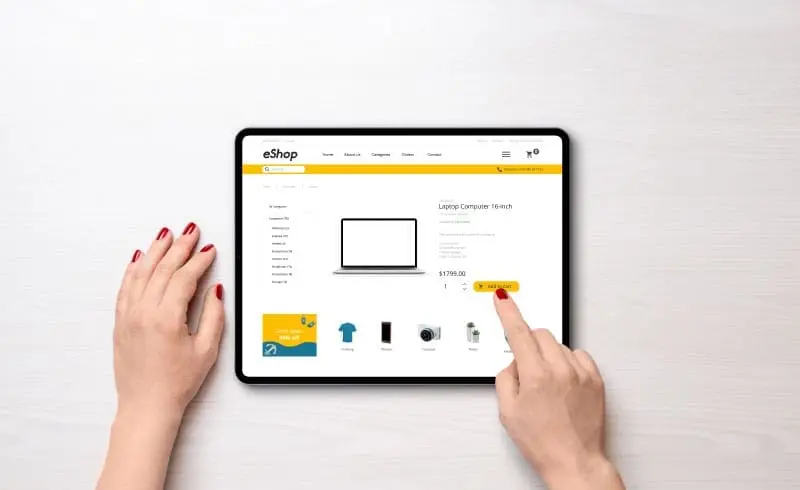
Selling online used to be a breeze. Get the order, collect the money, ship out the product. No hassles with sales tax like a brick-and-mortar retailer have to deal with. Nowadays, unfortunately, it’s up to 46 times more complicated for an eCommerce business. That’s because 45 U.S. states plus Washington, D.C., now require you to collect and submit sales tax — each with its own set of laws that you need to follow. The process can be daunting — and time-consuming — for a small business. Here’s how to make it more manageable. 1. Determine which states you need to collect tax in. As of June 21, 2018, that’s any state where you have customers. Before that date, each state had a set of criteria known as “sales tax nexus,” which determined whether you would have to collect tax in that state. The criteria included such things as the physical location within the state, distributor, or sales rep location and total sales value. However, the old rules are now out the window. With the Supreme Court’s decision in favor of South Dakota (in the case of South Dakota v. Wayfair), physical presence in the state is no longer required. Many questions on how this will play out remain unanswered. For example, the decision includes language that the state tax system should not discriminate against or place an “undue burden” on out-of-state businesses. It may take states a year or even longer work out their new rules. In the meantime, learn more about sales tax nexus here. 2. Determine which products qualify as taxable. Again, rules vary by state. Some of the most common non-taxable items are: • Grocery food • Clothing • Certain types of books (textbooks, religious books) • Prescription and non-prescription medicine • Magazines and subscriptions • Digital products (books, music, movies) 3. Register for state sales tax permits. In each state where you’ve determined you need to collect sales tax, apply to the state’s department of revenue for a sales tax number. You need this number in order to legally collect tax from customers. Make a note of each state’s tax due dates. You may have to file monthly, quarterly, or annually. This information will be included with the tax permit the state sends you. In most states, your sales tax permit is also a resale certificate. That means you can buy items tax-free at retail, as long as you intend to resell the items. 4. Update your website’s shopping cart to collect sales tax. For sales within the state where you’re physically located, check whether your state uses origin-based or destination-based taxation. • Origin-based: You charge the state, county, and city rates that apply to the location you’re shipping from. • Destination-based: You charge the rates that apply to the shipping address. In some states, shipping charges are also taxable. Most shopping carts allow you to add this function. If you use drop shipping, you’ll have to work with your dropshipping supplier to decide who will be responsible for collecting sales tax. 5. File your return. File a return for every state and every due date, even if you had zero sales in that state or time period. If you don’t file, you could be slapped with a penalty, or even lose your tax permit. Be prepared to fill in the tax return form by county, city, and other special taxing districts. This is where automated software can make your life a lot easier. Save money by filing on time or early. Some states give a discount for filing on time. And some need a few days to process payments. So even if you file on the due date, the money won’t reach the state’s bank on that day and you will be charged a late fee (plus interest on the amount of tax due). xendoo makes processing sales tax easy for eCommerce businesses. By integrating with both your business software and your bank, transactions are entered automatically in your books. Plus, each entry is tax coded as it happens, so there’s no last-minute rush at filing time. With the hassles out of your way, your time and energy are free to focus on growing your business. [av_sidebar widget_area=’Blog Post Disclaimer’ av_uid=’av-om2w’]